A customer completes a form on your website at 7:40 p.m. They want a quote and would like to speak tomorrow morning. The enquiry sits in an inbox until someone sees it the next day. By then, the customer may have contacted three competitors.
A normal chatbot might answer a few questions. An AI agent can go further. It can read the enquiry, check whether it matches your service area, create a record in your CRM, suggest the right response, offer available meeting times and alert the responsible employee. That is why AI agents for small business have become one of the biggest business technology subjects of 2026.
The opportunity is real, but so is the confusion. Many businesses are being encouraged to imagine an entire digital workforce before they have successfully automated one small process. My advice is simpler.
This guide explains what AI agents are, where they can help a small business, and how to test one without giving it more access or authority than it needs.
What Is an AI Agent?
An AI assistant normally waits for a person to ask a question. It produces an answer, draft or recommendation, then waits again. An AI agent is designed to work toward a defined outcome. It may read information, make a limited decision, use an approved tool and complete several connected steps.
For example, an assistant can draft a reply to a sales enquiry. An agent may:
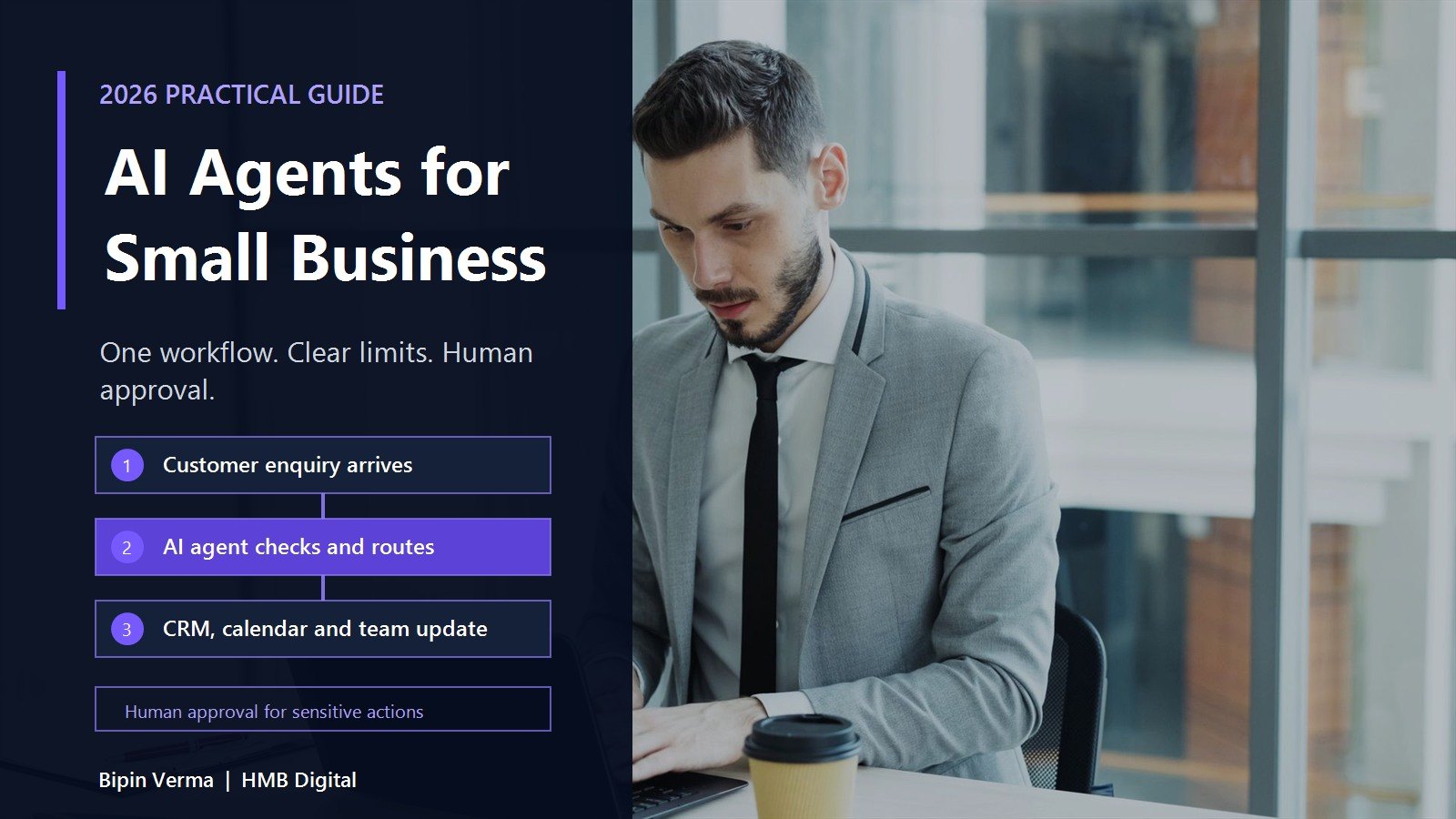
- 1Detect the new enquiry.
- 2Read the submitted details.
- 3Compare them with your qualification rules.
- 4Create or update the CRM record.
- 5Prepare a suitable response.
- 6Offer approved meeting times.
- 7Ask a salesperson to approve any unusual case.
The difference is action. That action is also where the risk begins. An agent that can only prepare a draft has limited power. An agent that can send messages, change customer records, issue refunds or access sensitive files needs stronger controls.
The US National Institute of Standards and Technology launched an AI Agent Standards Initiative in February 2026. Its focus includes security, identity, authorization and the ability of agents to work safely across systems. This is an important signal for business leaders. The discussion is moving beyond whether agents can perform tasks. The more important question is whether they can be trusted to perform the right task with the right authority.
Why AI Agents Matter in 2026
Small businesses often operate with several useful systems that do not work together. The website collects a lead. Email receives the notification. A spreadsheet tracks follow-up. A calendar manages appointments. Accounting software creates the invoice. A person keeps copying information between them.
An AI agent can sometimes act as the controlled connection between those steps.
Microsoft's 2026 Work Trend Index reports that agents are being used across industries, although the depth of use varies. The report also finds that more advanced teams are more likely to redesign processes together, share lessons and document quality standards and human handoffs.
That last point matters. Buying a tool is easy. Agreeing on the workflow, permissions, exception rules and measures of success is the real work. This is where a clear digital transformation approach becomes more valuable than another disconnected subscription.
Seven Practical Use Cases
The best first use case is usually repetitive, frequent, measurable and low risk. It should also have clear rules and a person who owns the outcome.
1. Lead Response and CRM Updates
Speed matters when a potential customer is actively looking for help. An agent can monitor approved enquiry sources, check required fields, create a CRM record, assign the enquiry and prepare a response. It may also identify missing information and ask the prospect one or two simple questions.
Keep the first version controlled. Let it handle normal enquiries and send unusual requests to a person. Do not allow it to promise pricing, delivery dates or contract terms without approval. Useful measures include:
- Average first-response time
- Percentage of enquiries entered correctly in the CRM
- Meetings booked from qualified enquiries
- Number of cases that required human correction
2. Customer Support Triage
Customers do not enjoy explaining the same problem repeatedly. A support agent can read an incoming request, identify the subject, find relevant information in an approved knowledge base and prepare a response. It can route billing, technical and urgent issues to different queues.
The goal should not be to hide access to a person. The goal should be to solve simple issues faster and give employees better context for difficult ones. Start with questions that have stable and approved answers. Keep complaints, account closures, safety concerns and sensitive customer cases under human control.
3. Appointment Scheduling and Reminders
Scheduling looks simple until several calendars, service types, locations and employee rules are involved. An agent can collect the required information, check real availability, offer suitable times and send confirmation or reminder messages. Clinics, consultants, home-service companies and professional firms can all benefit from a better scheduling handoff.
The agent should not expose private calendar details. It should see only the availability needed to complete its task.
4. Document and Form Processing
Many teams still copy information from forms, purchase orders, invoices and emailed documents into another system. An agent can extract selected fields, check whether information is missing, apply simple validation rules and prepare the record for approval.
This can be useful, but document quality varies. A faded scan, unusual layout or handwritten note can cause mistakes. Require human review when confidence is low or when the document affects payment, compliance or a customer commitment.
5. Website and Content Maintenance
Small business websites often contain expired offers, old service details, broken links or pages that no longer match what the company sells. An agent can run scheduled checks, identify possible issues and prepare an update for review. It can also organize approved content ideas, create a first draft from expert notes and check whether required page elements are present.
It should not publish health, legal, financial or technical claims without expert approval. It should also never create customer results, quotations or statistics that do not exist. If your business is evaluating this type of workflow, HMB's artificial intelligence services can help connect the technology to the process and controls around it.
6. Internal Reporting and Status Updates
Managers often spend hours asking for updates and combining information from several systems. An agent can collect approved project data, summarize completed work, identify overdue items and prepare a weekly status report. The report should link back to the original records so a manager can verify important points.
This is a useful first project because the output is internal and reviewable. It can reduce administrative work without giving the agent authority to change priorities or commit resources.
7. Internal Knowledge Support
Employees lose time searching for policies, process documents, product information and previous project decisions. An internal knowledge agent can answer questions from an approved collection of documents and show the source used for each response. It can also say when the available material does not contain an answer.
This works only when the underlying information is current. An agent connected to five versions of the same policy will produce confusion faster. Assign owners to important documents and remove or archive outdated copies before deployment.
How to Choose Your First Workflow
Use the following test before selecting a project.
| Question | Promising first use case | Weak first use case |
|---|---|---|
| How often does it happen? | Daily or several times each week | Once every few months |
| Are the steps understood? | Employees can describe the normal process | Every person handles it differently |
| Can success be measured? | Time, accuracy or conversion can be tracked | "We want to look innovative" |
| What happens if it fails? | A person can review and correct the result | Serious financial, legal or safety harm |
| Does it need sensitive access? | Limited access to approved data | Broad access to confidential systems |
| Is there a clear owner? | One person is responsible for the result | Ownership is spread across teams |
A Seven-Step Plan for Safe Adoption
Step 1: Start With the Business Problem
Write down the current delay, error or cost in one sentence. For example: "Website enquiries wait an average of nine business hours before being assigned." Do not choose a problem only because a vendor has an attractive demonstration.
Step 2: Map the Current Workflow
List the trigger, information sources, decision rules, systems, exceptions and final outcome. Speak with the employee who handles the work every day. You may discover that the process can be simplified without an agent. The joint 2026 guidance published by the Australian Cyber Security Centre and partner agencies recommends considering whether low-value work can be reduced or removed before adding an agentic system.
Step 3: Define the Agent's Boundaries
State what the agent may read, create, change, send and approve. Begin with the minimum permissions required. Use separate accounts where practical. Restrict tools, data sources, recipients and actions through allowlists. Never give a new agent broad access because it may be useful later.
Step 4: Design the Human Handoff
Decide when the agent must stop and ask for help. Common triggers include low confidence, missing information, unusual customer language, large amounts, sensitive data and requests outside the normal process. Make it easy for an employee to understand what the agent did and why the case was escalated.
Step 5: Test Normal Cases and Difficult Cases
Testing should include more than successful examples. Use incomplete forms, conflicting instructions, unusual document formats, angry customer messages and attempts to make the agent ignore its rules. Check whether it protects private information and refuses actions outside its authority. OWASP maintains guidance on agentic AI threats and mitigations. Security testing should be part of deployment, not a task postponed until after launch.
Step 6: Measure Business Value and Mistakes
Track time saved, completion rate, correction rate, customer response and operating cost. A simple monthly value estimate can be: hours saved multiplied by the loaded hourly cost, plus recovered revenue, minus the monthly running cost.
Step 7: Expand Only After the First Workflow Is Stable
Do not connect more tools and data simply because the first week looked promising. Review the exceptions. Improve the knowledge source. Confirm who is responsible. Document the controls. Then decide whether the same pattern can support a second workflow. HMB can help businesses assess the process, design a controlled pilot and connect it with existing systems through its industry software solutions.
Security Controls to Require
An AI agent may use company information and take action through company systems. Treat it like a new operational account, not a clever browser tab. At minimum, require:
- Least-privilege access
- Strong identity and authentication
- Approved tools and data sources
- Human approval for sensitive or irreversible actions
- Logs showing what the agent read and changed
- Regular review of outputs and exceptions
- Clear data retention rules
- A method to stop the agent quickly
- A named business and technical owner
The UK government's 2026 review of agentic AI and consumers highlights accountability, privacy, authentication and consumer trust as important issues as agents gain more authority. The technology may perform the action, but the business remains responsible for the outcome.
What an AI Agent Should Not Do First
Avoid using an early agent pilot for work that can directly create major harm or an irreversible commitment. Examples include:
- Approving payments or changing bank details
- Making hiring or termination decisions
- Providing medical diagnoses or treatment instructions
- Signing contracts or accepting legal terms
- Issuing large refunds without approval
- Changing production infrastructure without review
- Sending sensitive customer data to an unapproved system
An agent can support parts of these processes, such as collecting information or preparing a draft. Final authority should stay with a qualified person.
The Real Leadership Question
In 2026, many AI agents can already read, plan and act across business tools. The better questions are:
- Is this the right process to automate?
- Is the information reliable?
- Does the agent have only the access it needs?
- Can a person review important actions?
- Will customers understand when they are dealing with automation?
- Who is responsible when something goes wrong?
Good technology should remove work that should not exist. It should not remove judgment where judgment still matters. Start with one problem. Give the agent a narrow job. Keep a person responsible. Measure the result.
That may sound less exciting than building a digital workforce. It is much more likely to produce value. If you want to identify a practical first workflow, speak with HMB about a controlled AI pilot.
Frequently Asked Questions
What is an AI agent for a small business?
An AI agent is a system that works toward a defined business outcome by completing one or more steps using approved information and tools. It may process an enquiry, update a CRM, prepare a response or schedule an appointment within limits set by the business.
How is an AI agent different from a chatbot?
A chatbot mainly answers questions inside a conversation. An AI agent may also take approved actions across connected systems. A chatbot might explain how to book an appointment, while an agent may check availability, collect required details and create the booking.
What is the best first AI agent use case for a small business?
Choose a frequent, repetitive and measurable workflow with clear rules and low risk. Lead routing, internal reporting, appointment reminders and support classification are often better first projects than payments, contracts or sensitive decisions.
Are AI agents safe for customer data?
They can be used more safely when access is limited, data sources are approved, actions are logged and sensitive steps require human approval. No agent should receive unrestricted access to customer or company systems.
How much does a business AI agent cost?
Cost depends on the workflow, number of connected systems, usage, security requirements, model fees, monitoring and support. Compare cost with verified time savings, recovered revenue, correction work and risk. Start with a small pilot before agreeing to a large deployment.
Can AI agents replace employees?
The better early use is to remove repetitive administrative work and help employees respond faster. Customer relationships, exceptions, accountability and important decisions still need people.
How long does an AI agent pilot take?
The timeline depends on process clarity, data quality, integrations and security. A narrow workflow with approved information is faster to test than a process that crosses many systems or has unclear ownership. Map the workflow before estimating delivery.
How do I know whether an AI agent is working?
Measure a business outcome such as response time, hours saved, accuracy, completion rate, meetings booked or fewer missed handoffs. Also track corrections, escalations, complaints and operating cost.
Share Article
About the Author

Bipin Verma
LinkedInManaging Director
HireMisterB Digital
Bipin leads HireMisterB's strategic vision and enterprise client relationships. With over a decade of experience helping businesses across the US, UK, and India digitise their operations, he believes technology only matters when it creates measurable business value. His background spans product strategy, digital transformation, and building high-performance distributed teams.